 peekgentic
Ordermatic vs. a custom build for distributor order entry
What Ordermatic does from its own site, what a custom build is, how they compare on inputs, ERPs and upkeep, and when each one fits an industrial distributor.
In brief
Ordermatic is a product built for one desk: turning industrial distributors' orders (PDF, fax, email, handwritten forms, phone and scans) into validated ERP entries, and it names older systems like AS/400 and Prophet 21. Choose it if you're a distributor whose orders and ERP match its list. Choose a custom build if your orders, rules or ERP are unusual, or you want the same system to handle the work around the order, like quotes, purchasing or status emails. Test both on your own POs either way.
- Ordermatic is a product for industrial distributors' order desks, including older ERPs.
- A custom build fits unusual rules, customized ERPs, or work beyond the order.
- Both should flag uncertain fields for a person.
- Test both on the same 20 POs.
What Ordermatic is, from its own site
Ordermatic calls itself "AI order-entry automation for industrial distributors" and says it is designed specifically for industrial distribution teams. Its site says it:
- reads orders that arrive as PDF, fax, email and handwritten forms, and its FAQ adds phone orders and scans;
- turns them into validated ERP entries;
- "flags the uncertain field for human review instead of guessing";
- works with AS/400 and IBM iSeries, Epicor Prophet 21 and Infor M3 / M4, and lists Eclipse, Kinetic, Acumatica, Odoo, Sage, SAP Business One and SAP S/4HANA among its integrations.
Its headline claims a saving of 32+ hours a week; that's the vendor's figure. The site doesn't list prices, setup time or customer counts.
What a custom build is
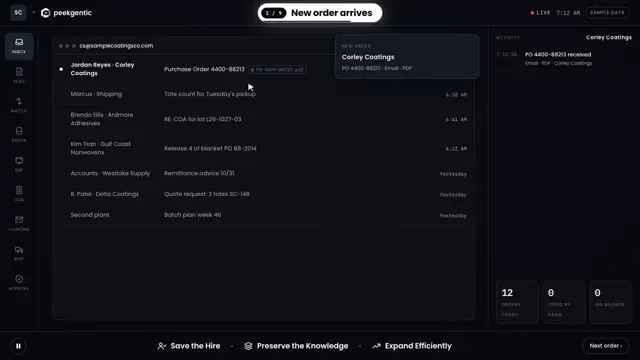
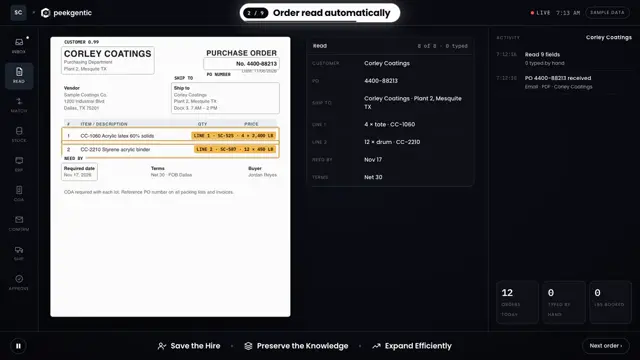
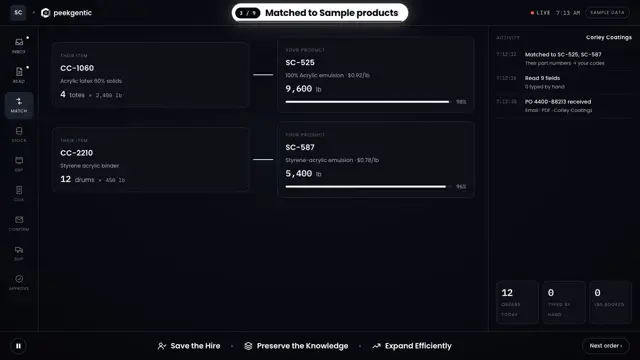
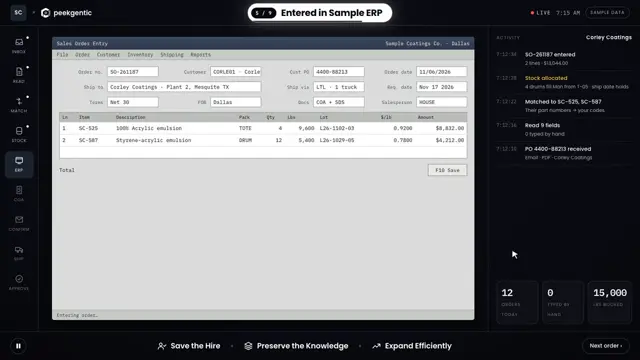
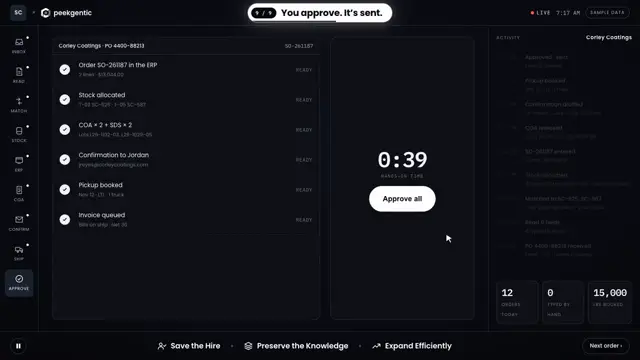
A custom build is software made for your order desk alone: it reads what your customers actually send, matches their part numbers and units to your item master, applies your pricing and allocation rules, drafts the order in your ERP and puts anything unclear in front of a person. You own it. The trade-off is that someone has to keep it current when customers change their layouts, either your IT team or the firm that built it.
Ordermatic and a custom build, side by side
| Ordermatic | Custom build | |
|---|---|---|
| What you get | A product with its own roadmap | Software built for your desk and ERP |
| Built for | Industrial distributors | Any company with an order desk |
| Order inputs | PDF, fax, email, handwritten, phone, scans | Whatever you build for, usually email and PDF first |
| Older ERPs | Names AS/400, IBM iSeries, Prophet 21, Infor M3 / M4 | Any ERP with an API, import tool or a small service on your network |
| Uncertain fields | Flagged for human review | Flagged for human review (you set the rules) |
| Work beyond the order | Order entry | Can include quotes, purchasing, confirmations, status emails |
| Who keeps it running | Ordermatic | Your IT team or the builder |
| Prices published? | No | Quoted per project |
Ordermatic column: ordermatic.co, checked Nov. 9, 2026.
When Ordermatic is the better fit
- You're an industrial distributor and your ERP is on its list.
- Your problem is the order desk, and only the order desk.
- You want a vendor to own the product and its updates.
When a custom build is the better fit
- You're a manufacturer, not a distributor, or your rules are unusual: configured products, allocations, customer-specific units.
- Your ERP is customized or homegrown.
- You want the same system to also draft quotes, purchase orders or order status emails.
- You want to own the code and the rules.
Test both the same way
Give each option the same 20 messy POs from last month and count the lines that came out right with no edits. Ask who fixes it when a customer changes their layout, and how you get your data out if you leave. More options: Conexiom alternatives and Esker alternatives.
We build the custom side, based in Garland, Texas, for companies across Dallas-Fort Worth. For a Garland manufacturer, one desk process went from 4 hours to 15 minutes, and they've saved over $100K in under 8 months.
Common questions
What is Ordermatic?
Ordermatic describes itself as AI order-entry automation for industrial distributors. Its site says it turns PDF, fax, email, handwritten, phone and scanned orders into validated ERP entries and flags uncertain fields for human review.
Does Ordermatic work with AS/400 or Prophet 21?
Its site names AS/400, IBM iSeries, Epicor Prophet 21 and Infor M3 / M4. Confirm your version with Ordermatic.
Does Ordermatic publish pricing?
Not on the pages we checked on Nov. 9, 2026.
When should a distributor choose a custom build instead?
When the ERP is customized or homegrown, when order rules are unusual, or when the same system should also handle quotes, purchasing or status emails.
Who builds custom order entry automation in Dallas-Fort Worth?
Peekgentic, a team based in Garland, Texas, builds order entry automation around the ERP you already run, with a person approving each order.
 Esker alternatives for order processing: 7 options compared
 Conexiom alternatives: who else automates order entry, and when each one fits
 How do I stop retyping customer POs into my ERP?