 peekgentic
Signs your order desk needs automation
Seven signs your order desk at a 40-400 person manufacturer or distributor has outgrown retyping: backlogs after one sick day, errors found at shipping, status calls eating the day, one person who knows the odd customers, no quiet hours, a hiring plan that can't keep up, and no idea what an order costs. With the research behind each one, and when automation isn't worth it.
In brief
Your order desk needs automation when the work depends on people retyping documents: one sick day creates a backlog, errors show up at shipping, and only one person knows how certain customers order. Hand-copied data has a real error rate. A meta-analysis of clinical research found errors in 6.57% of fields abstracted by hand from source records. If two or three of the signs below fit, time the work before you buy anything.
- A backlog after one sick day means the desk runs at full capacity on a normal day.
- Copying by hand has a real error rate: 6.57% of fields in a clinical-research meta-analysis, versus 0.14% with double entry.
- In APQC's 2023 benchmark, acknowledging orders and answering status requests took 28% of customer service time combined.
- If only one person knows how certain customers order, that knowledge is a business risk.
- Measure minutes per order and errors before buying anything; low-volume or EDI-heavy desks may not need automation.
The desk tells you before anyone says it
Most order desks don't fail all at once. They get a little slower every year. Customers add a portal. A big account sends POs in a new format. Someone retires. The desk keeps up because good people work harder, and nobody notices until a week goes sideways.
This guide is for owners and operations managers at 40-400 person manufacturers and distributors. It lists seven signs that the desk has outgrown retyping, with the research behind each one where research exists. It also covers when automation isn't worth it, because sometimes it isn't.
1. One person out sick means a week of catching up
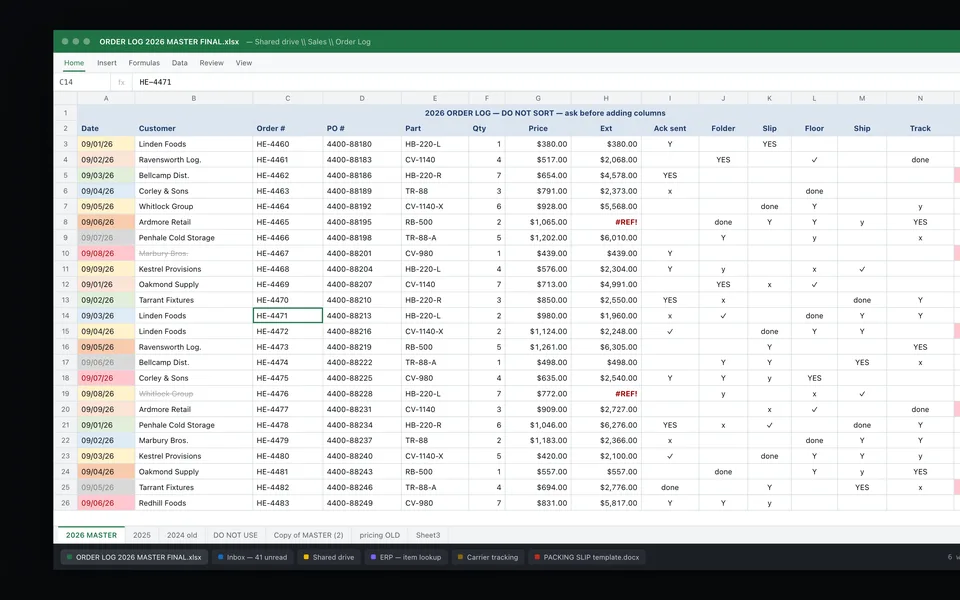
If one absence creates a backlog that takes days to clear, the desk has no slack. Every order needs a person to read it, find the customer, match the part numbers and key it in. The work can't go faster, so it can only pile up.
This is the easiest sign to see. Look at your order log for the last time someone took a week off. Did orders entered per day drop? Did the late ones get entered with a different ship date? If yes, the desk runs at full capacity on a normal day.
2. Errors show up at shipping or on the invoice
Wrong quantity. Wrong ship-to. An old price. A part number that's one digit off. If your warehouse or your billing clerk is the one catching order-entry mistakes, the errors are getting all the way through the process before anyone sees them.
Retyping has a measurable error rate. The best study we found on copying data by hand comes from clinical research, not order desks, so read it as an analogy. In a systematic review and meta-analysis by Garza and colleagues, covering 93 papers published from 1978 to 2008, medical record abstraction (people reading source records and copying the values into a study database) had a pooled error rate of 6.57% of fields. That was the highest of the four methods studied.
Error rate by how data was entered
Pooled error rate, share of fields with an error. Clinical research studies from 1978 to 2008; an analogy for order entry, not an order-desk study.
Source: Garza et al., Error Rates of Data Processing Methods in Clinical Research: A Systematic Review and Meta-Analysis (PMC). The authors note wide variation between studies.
A customer PO is closer to the first bar than the last. Someone reads a PDF laid out the customer's way and copies the values into a screen laid out your way. Notice the bottom bar too: a second check cuts errors sharply. That's a fair point for the manual side, and we come back to it below.
3. Status calls and confirmations eat the day
"Did you get my PO?" "When does it ship?" If your desk spends its mornings answering these, it isn't entering orders. This is common, and it's measurable.
In APQC's 2023 Measuring Customer Service report, sponsored by Esker, which sells order automation, the two biggest uses of customer service time were acknowledging customer orders (14%) and responding to order status requests (14%). Entering customer orders by hand was another 6%. The data came from 200 B2B companies with at least $500 million in revenue, so these are bigger firms than most readers here. The pattern still fits a smaller desk: the same people who enter orders also confirm them and answer questions about them.
APQC also found that companies that shifted customer service time toward higher-value work, like product questions and claims, had total customer service cost about 5% lower per $1,000 of revenue. Our guide on automating order confirmations covers the first of those two jobs.
If the desk is busy all day and orders still wait, the problem isn't effort. It's that the desk is built on retyping.
4. Only one person knows how certain customers order
Every desk has them. The customer who sends three POs for one order. The one who uses their own part numbers. The one whose "rush" means Friday, not today. If one person on your team knows all of this and it isn't written down, those orders wait when that person is out.
We couldn't find a solid public study that puts a number on this, so we won't give you one. You don't need a statistic to check it. Ask your desk lead which customers they'd worry about if they were out for two weeks. If the list is long, that knowledge is a risk to the business. Our guides on the process only one person knows and capturing a veteran employee's know-how go deeper.
Automation helps here in a quiet way. To automate a customer's orders, someone has to write down that customer's rules: part number cross-references, ship-to codes, pricing exceptions. Once the rules live in the system, they don't retire.
5. Nobody on the desk gets an hour of quiet
Order entry needs focus. So does checking a PO against a quote. If the desk is interrupted all day, both get slower and sloppier.
Microsoft's 2025 Work Trend Index report, Breaking down the infinite workday, used Microsoft 365 usage data to measure this. Its most-pinged users, the top 20% by volume, are interrupted every two minutes during core work hours by a meeting, email or chat. The average worker receives 117 emails a day. And 48% of employees said their work feels chaotic and fragmented.
An order desk runs on email. Every PO, change and status question lands in the same inbox. If your desk is in that top 20%, it's not a discipline problem. It's the job's design. Our guide on office email overload has more.
6. Your plan for more orders is "hire another person"
When volume grows, the default answer is another order clerk. That works, but it's getting harder and it doesn't fix the errors or the single-person knowledge.
The hiring market cuts both ways. The Manufacturing Institute and Deloitte estimate manufacturing could need as many as 3.8 million more workers from 2024 to 2033, with 1.9 million jobs possibly unfilled, and 65% of manufacturers they surveyed called attracting and keeping talent their main challenge. That's about the whole industry, not the office alone. Meanwhile the Bureau of Labor Statistics projects order clerk jobs will fall 17% from 2025 to 2035, partly because online ordering and self-service systems will limit demand.
We wrote a full comparison in hire another office person, or automate? The short version: if the new hire would mostly retype documents, look at the retyping first.
7. You don't know what an order costs you
If nobody can say how many minutes an order takes or how many orders one person handles a day, you can't tell whether the desk is efficient. The benchmarks show a wide spread.
In APQC's 2016 study Cutting the Costs of Sales Order Processing, also sponsored by Esker, the total cost to manage sales orders across 608 organizations was $5.11 per order for top performers, $24.21 at the median and $40.87 for bottom performers. Those figures are older and cover the whole order process, not just typing. The gap between the top and the bottom is the point.
You can get your own number in a week. Time 50 orders, count the errors, and divide. Our guide on measuring office automation ROI shows how.
Quick self-check
| Sign | How to check it this week |
|---|---|
| Backlog after one absence | Orders entered per day during the last week someone was out |
| Errors found late | Count order fixes found at picking, shipping or invoicing in a month |
| Status calls | Tally "where's my order" calls and emails for five days |
| One person knows | Ask the desk lead which customers they'd worry about |
| No quiet hours | Count how many emails reach the order inbox per day |
| Hiring is the plan | What share of the new hire's day would be retyping? |
| Unknown cost | Time 50 orders from inbox to entered |
When automation isn't worth it
Be fair to the desk you have. Some order desks don't need new software.
- Low volume. If you get 15 orders a day and they're easy, one careful person may be the cheapest answer. In our experience, automation pays when volume or variety is high enough that people are busy all day with typing.
- Orders already come in clean. If your big customers send EDI or order through your web store, most of the work is done. Fix the stragglers, not the whole desk.
- A second check already works. The Garza data shows double entry got errors down to 0.14% of fields. If your desk already has someone check every order and errors are rare, the case for automation is about time, not accuracy.
- The process itself is broken. If nobody agrees on pricing rules or ship-to codes, software will make the same mess faster. Agree on the rules first.
What to do if the signs fit
- Measure first. Minutes per order, orders per person per day, and errors per hundred. One week is enough.
- Start with one slice. Pick the customers who send the most PDF or email orders. Don't start with the hardest one.
- Keep a person in charge. Software reads the PO, matches the parts and fills in a draft. A person approves it. We explain why in human-in-the-loop automation.
- Measure again. Same sample size, same counts, a month later.
The goal isn't fewer people on the desk. It's a desk where a sick day doesn't become a lost week, errors get caught before shipping, and the person who knows the odd customers can spend that knowledge on the customers instead of the keyboard.
Common questions
How do I know if my order desk needs automation?
Common signs: one absence creates a backlog, errors are caught at shipping or invoicing, status calls take up much of the day, only one person knows how certain customers order, and the plan for growth is hiring more people to retype. If two or three fit, time the work first.
How accurate is manual data entry?
There's no good public study of order desks. The closest evidence is clinical research: a meta-analysis by Garza and colleagues found errors in 6.57% of fields when people abstracted data by hand from source records, versus 0.14% with double data entry.
How much time does an order desk spend on confirmations and status requests?
In APQC's 2023 benchmark of 200 large B2B companies, sponsored by Esker, acknowledging orders and answering order status requests each took 14% of customer service time. Entering orders by hand took another 6%.
What does it cost to process a sales order?
In APQC's 2016 study of 608 organizations, sponsored by Esker, the total cost to manage sales orders was $5.11 per order for top performers, $24.21 at the median and $40.87 for bottom performers. Measure your own minutes per order to compare.
Should I hire another order clerk or automate?
If the new hire would mostly retype documents, look at the retyping first. BLS projects order clerk jobs will fall 17% from 2025 to 2035, partly because of online ordering and self-service systems.
When is order entry automation not worth it?
When volume is low and orders are simple, when most orders already arrive through EDI or a web store, when a second check already keeps errors rare, or when the pricing and customer rules themselves aren't agreed on yet.
Does automating order entry mean replacing the order desk?
No. A good setup has software read the PO and fill in a draft order, and a person approves it. The desk spends less time typing and more time on exceptions and customers.
Sources
- Garza et al., Error Rates of Data Processing Methods in Clinical Research: A Systematic Review and Meta-Analysis (PMC; papers from 1978 to 2008)
- Microsoft WorkLab, Work Trend Index special report: Breaking down the infinite workday, June 17, 2025
- APQC, Measuring Customer Service (Esker-sponsored, N=200), Sept. 2023
- APQC (Mary Driscoll), Cutting the Costs of Sales Order Processing (Esker-sponsored), 2016
- U.S. Bureau of Labor Statistics, Occupational Outlook Handbook, Information Clerks (order clerks projections 2025-2035)
- The Manufacturing Institute, Manufacturers need as many as 3.8 million new employees by 2033 (with Deloitte), April 3, 2024
 How to measure the ROI of office automation: minutes per item, items per person
 Hire another office person, or automate? A cost calculator
 Automating order confirmations and acknowledgments